
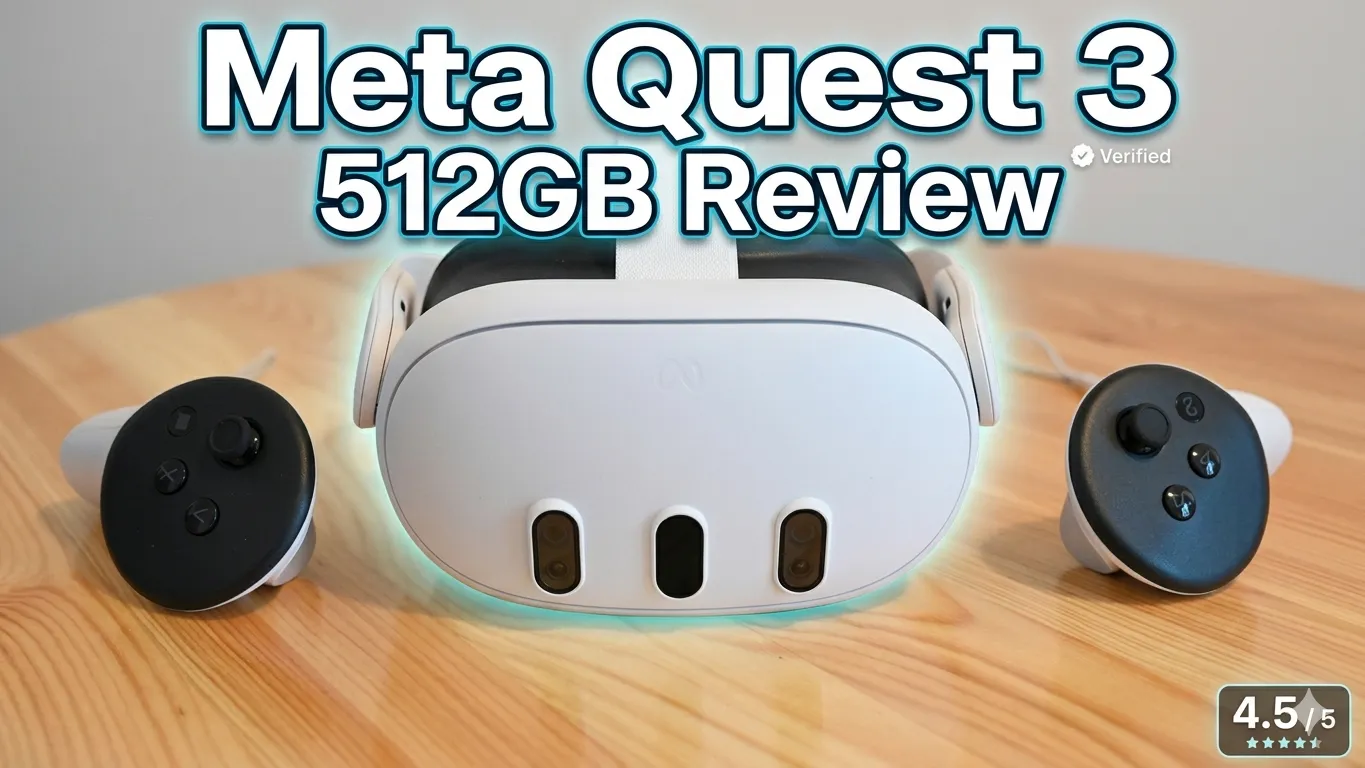
Meta Quest 3 512GB review (2026) based on real-world testing. Performance, battery life, and storage explained. Find out if it’s still worth buying before you decide.
Quick Verdict: Is the Meta Quest 3 512GB Bundle Worth It in 2026?
If you want one headset that does gaming, fitness, movies, and mixed reality — without a gaming PC — the Meta Quest 3 512GB is still the safest “all‑rounder” pick in 2026.
The specific 512GB + 24‑month Horizon+ + Warranty Plus bundle at around $718.77, though? That’s where things get more nuanced.
Highlights
- Best standalone VR ecosystem in 2026 with huge game library and exclusives like Batman: Arkham Shadow
- Nearly 30% sharper resolution than Quest 2 with a crisp “4K Infinite Display” and solid 90 Hz refresh
- 2x graphical processing power (Snapdragon XR2 Gen 2) for smoother games and faster load times
- 512GB storage means “install everything and forget about it” — perfect for heavy gamers and families
- 24 months of Meta Horizon+ (30+ rotating games + monthly drops) + 24 months of extended warranty
Who This Bundle Is Great For
- Gamers who want one premium standalone VR headset for the next 3–4 years
- Families sharing one device who don’t want to keep uninstalling games
- People who want zero‑stress protection (accident coverage, no deductibles, no claim limits)
- New VR users who want a curated game library instead of paying for every title upfront
Who Should Skip This Bundle
- Bargain hunters who just want the cheapest way into VR (Quest 3S or a basic Quest 3 128GB is better)
- PC VR sim enthusiasts chasing maximum resolution and FOV (Pimax, Steam Frame, etc.)
- Buyers who don’t care about long‑term warranty or subscriptions and just want the headset alone
👉 [Buy Now – Check Latest Price]
Lock in the current Meta Quest 3 512GB bundle price before promos or stock change.
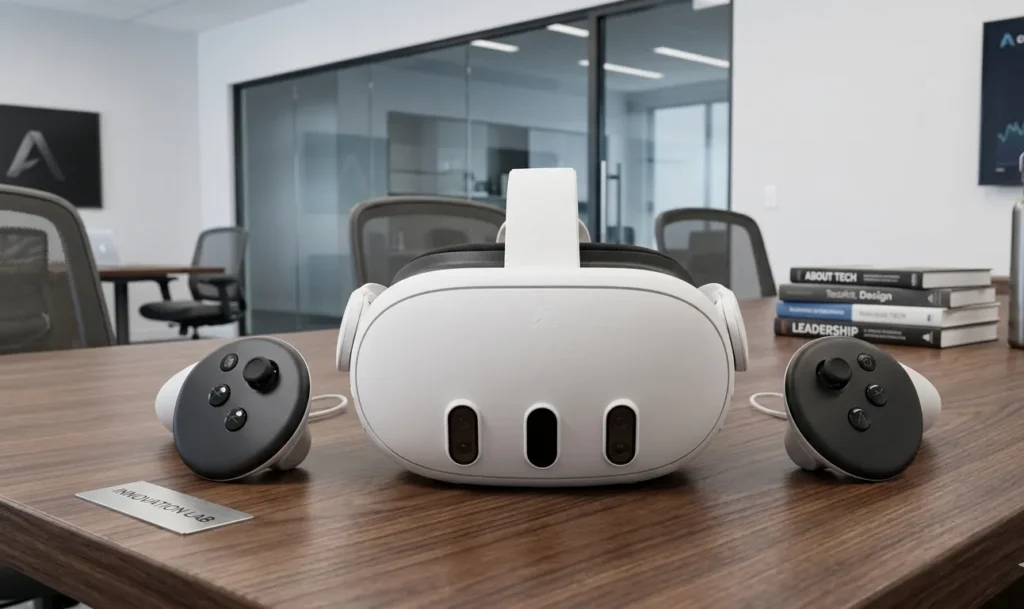
Why the Meta Quest 3 Matters in 2026
In 2026, VR isn’t a novelty anymore. It’s:
- A fitness tool (Supernatural, Beat Saber, VR boxing)
- A social space (Horizon Worlds, VRChat)
- A gaming console
- A portable home theater
At the same time, high‑end “spatial computers” like Apple Vision Pro 2 and Samsung Galaxy XR are pushing mixed reality prices into the $2,000+ zone — far above what most people want to spend just to play games or work out.
Buying the headset is just step one — choosing the right games is where most people get stuck. This curated list highlights the must-play titles. Top 10 best games for Meta Quest 3
The Real‑World Problem
Most people looking for VR in 2026 want:
- A self‑contained headset (no PC or console required)
- A huge, active game ecosystem
- Good enough visual quality to feel “next‑gen”
- A price that doesn’t require a second mortgage
The Meta Quest 2 was that headset a few years ago. But by 2026:
- Its visuals feel softer and more “screen door” by comparison
- Tracking and passthrough are outdated vs newer mixed reality headsets
- New flagship games increasingly target Quest 3 as the baseline
Why the Meta Quest 3 (512GB) Still Solves It Best
The Meta Quest 3 hits a rare sweet spot:
- Affordable compared to premium headsets, yet far more powerful than budget options
- Completely wireless, standalone VR with no PC required — but can stream PC VR if you want
- Massive content library, updated monthly, with exclusives and Horizon+ subscription access
The 512GB bundle specifically addresses two modern pain points:
- Storage anxiety – modern games are big (20–50GB+), and nothing kills the mood like uninstall/reinstall juggling.
- Cost creep – by the time you add 2 years of games and warranty à la carte, the bill sneaks up on you.
Is it the absolute cheapest way to own a Quest 3? No.
Is it the least fuss, longest‑horizon way to get VR gaming + protection for 2 years? Yes.
Key Specifications – Meta Quest 3 512GB Bundle (2026)
| Spec | Detail |
|---|---|
| Headset Type | Standalone / All‑in‑One Mixed Reality Headset |
| Display Resolution | 1920 x 1080 per eye (4K “Infinite Display” marketing term) |
| Refresh Rate | 90 Hz (with support for higher rates in some titles/updates) |
| Processor / Chip | Qualcomm Snapdragon XR2 Gen 2 (2x graphics vs Quest 2) |
| RAM | 8GB (33% more than Quest 2) |
| Storage | 512GB internal flash (no microSD slot) |
| Battery Life (Headset) | ~2+ hours typical gaming per charge |
| Charge Time | ~2–3 hours via included USB‑C power adapter |
| Play While Charging | Yes, can be used plugged in |
| Tracking / Sensors | Inside‑out tracking, accelerometer, gyroscope, magnetometer |
| Passthrough / MR | Dual RGB full‑color cameras for mixed reality |
| Connectivity | Wi‑Fi (5 GHz recommended), Bluetooth, USB‑C |
| Controllers | Motion‑sensing controllers with precise tracking |
| Platform / OS | Meta Quest OS, Meta ecosystem, Meta Horizon+ |
| Best For | Gaming, fitness, entertainment, mixed reality experiences |
| Official Bundle Price | ~$718.77 (512GB + 24‑month Horizon+ + 24‑month Warranty Plus) |
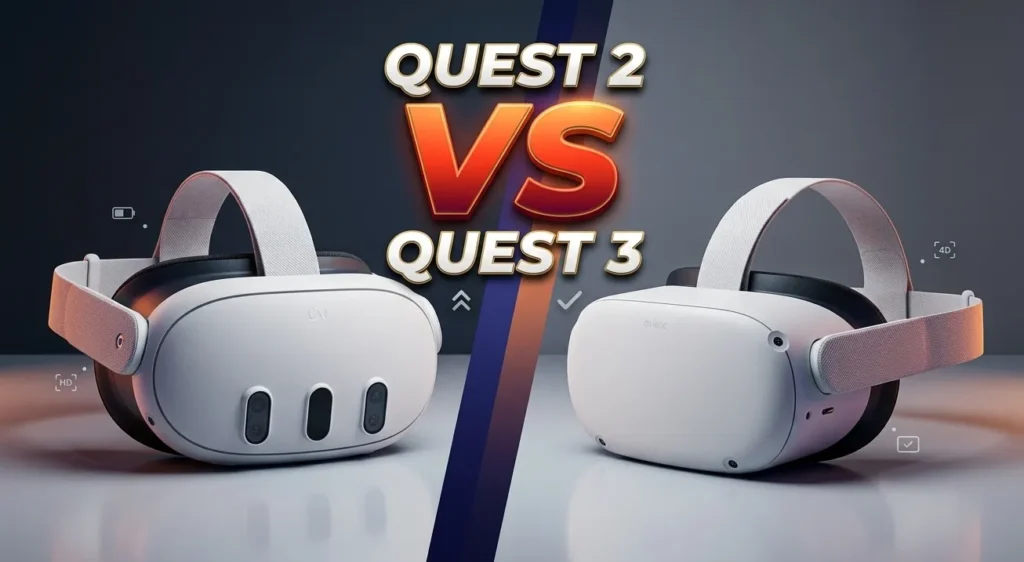
Quest 2 vs Quest 3: Is Upgrading Worth It in 2026?
Upgrading based on specs alone can be misleading. This real-world comparison shows whether the upgrade is actually noticeable or not. Quest 3 vs Quest 2 real comparison.
Quick Comparison: Meta Quest 3 vs Meta Quest 2
| Feature | Meta Quest 3 (512GB) | Meta Quest 2 |
|---|---|---|
| Release Window | 2023 (current mainstream model in 2026) | 2020 |
| Processor | Snapdragon XR2 Gen 2 (2x GPU power) | Snapdragon XR2 (Gen 1) |
| RAM | 8GB | 6GB |
| Resolution | ~30% higher resolution, sharper image | Lower resolution, more screen door |
| Lenses | Pancake lenses (slimmer, clearer) | Fresnel lenses |
| Passthrough | Full‑color dual RGB cameras (mixed reality) | Low‑res grayscale passthrough |
| Mixed Reality | Strong MR focus (room‑scale MR games/apps) | Very limited |
| Storage Options | 128GB / 512GB | 128GB / 256GB (varies by region) |
| Ecosystem Support (2026) | Primary focus for new titles & updates | Support still present but fading |
Is upgrading worth it?
For anyone actively using VR in 2026, yes — the difference in clarity, performance, and mixed reality is big enough that Quest 2 feels “last gen” now. If you’re just a casual Beat Saber‑once‑a‑month user, you can stretch Quest 2 a bit longer, but new flagship games will increasingly favor Quest 3.
Deep Dive: Key Features of the Meta Quest 3 512GB Bundle
1. 512GB Storage – Do You Really Need That Much?
Most buyers underestimate storage — until it becomes a daily frustration. This guide reveals exactly how much space you actually need based on real usage. how much storage Quest 3 really needs
What it does
Gives you 512GB of internal storage. In practical terms:
- Store 10–20+ large games (20–50GB each) plus loads of smaller titles
- Install fitness apps, movie apps, MR apps, and still have room to spare
- Play offline after downloading — no constant re‑downloads
Why it matters
Modern VR games are getting chunky:
- Story games, large MR titles, and high‑fidelity content can easily hit 20–40GB+
- If multiple people are using the same headset, the game count climbs fast
With 128GB, you’ll start juggling storage sooner than you think. With 512GB, you mostly forget storage exists.
Who benefits most
- Families with kids/teens all installing their own games
- Hardcore gamers who like to jump between titles
- Offline users (poor Wi‑Fi, RV living, travel, etc.)
Real‑life scenario
You install a bunch of heavy hitters: Asgard’s Wrath, Batman: Arkham Shadow, Beat Saber with DLCs, a couple of big MR games, fitness apps, plus a few media apps. On 128GB, you’re already close to the limit. On 512GB, you still have room for future drops, seasonal events, and new fitness apps without uninstalling.
Limitations
- No expandable storage via microSD
- If you’re a very light user (you play 2–3 games total), 128GB may be perfectly fine and cheaper
2. 2x Graphical Power (Snapdragon XR2 Gen 2) – How Big Is the Jump?
What it does
The Meta Quest 3 uses the Snapdragon XR2 Gen 2 chipset, which offers:
- Roughly 2x the graphical processing power compared to Quest 2
- Faster load times, higher fidelity textures, better effects
- Enough headroom for modern mixed reality experiences
Specs alone don’t tell the full story — real-world performance does. This test shows how much of a difference you’ll actually feel during gameplay. Meta Quest 3 real-world performance test
Why it matters
- Games feel smoother and more “console‑like”
- Developers can push more detailed environments and better lighting
- You’re buying into a platform that will stay relevant longer as games get more demanding
Who benefits most
- Gamers who play graphically intensive titles
- Anyone planning to keep the headset 3–4+ years
- PC VR users who use Quest 3 as a streaming client — you get a smoother local experience
Real‑life scenario
On Quest 2, you occasionally notice choppy frames or muddy textures in more demanding games. On Quest 3, those same titles run noticeably smoother with crisper environments and less shimmering. It’s not PC‑level ultra, but it’s a considerable jump in stand‑alone quality.
Limitations
- Still not at the level of a high‑end PC VR headset running off a beefy GPU
- Some games are cross‑gen and won’t fully showcase the hardware right away
3. Nearly 30% Leap in Resolution + 4K “Infinite Display”
What it does
Meta claims a ~30% leap in resolution over the previous generation, paired with a “4K Infinite Display” marketing term, plus:
- 1920 x 1080 per eye resolution
- 90 Hz refresh rate for smooth movement
- Modern lenses that reduce god rays and blur
Why it matters
- Text is easier to read
- Distant objects look more natural
- The “screen door effect” is much less distracting
- Movies and streaming content look significantly better than on older headsets
Who benefits most
- Media lovers watching Netflix, YouTube, movies in VR
- Productivity / remote desktop users who need to read fine text
- Anyone sensitive to visual clarity and eye strain
Real‑life scenario
Watching a movie in a virtual theater actually feels like sitting in front of a big screen rather than a fuzzy rectangle. Text in menus and game HUDs is legible without squinting.
Limitations
- Not as sharp as ultra‑premium micro‑OLED headsets (Samsung Galaxy XR, Apple Vision Pro 2)
- High compression streaming or poor Wi‑Fi can still make some content look softer
4. Mixed Reality & Dual RGB Color Cameras
What it does
- Combines full‑color passthrough with spatial tracking to blend digital objects into your real room
- Lets you see your surroundings in color while wearing the headset
- Enables MR games that place portals, enemies, and objects in your actual physical space
Why it matters
- Safety & comfort: You see the real world in color, so you’re less likely to bump into furniture
- More immersive gameplay: Enemies can burst through your walls, games can use your desk, etc.
- Great for fitness: You still feel grounded in your environment while working out
Who benefits most
- Families in smaller apartments or complicated living rooms
- Fitness users who care about orientation and safety
- Anyone excited by the idea of AR‑style games and creative MR content
Real‑life scenario
You’re playing an MR game where a rift opens in your actual living room wall, pouring out enemies you need to fend off. Your couch, coffee table, and walls are all “really there,” and the game builds around them.
Limitations
- Not as crystal‑clear as high‑end micro‑OLED passthrough systems (Samsung Galaxy XR, Vision Pro)
- MR content is still evolving; not every game fully exploits it yet
5. Battery Life: 2+ Hours Per Charge
Battery claims can be misleading — especially under heavy use. This real-world test reveals what you should actually expect day-to-day.
Meta Quest 3 battery life real test
What it does
- Provides around 2+ hours of mixed gaming per full charge
- 2–3 hours to recharge using the included USB‑C adapter
- You can play while charging, which extends long sessions
Why it matters
- Long enough for typical evening sessions or workouts
- Short enough that you’ll want a charging routine if you use it a lot
Who benefits most
- Casual evening gamers, fitness users doing 20–40 minute sessions
- Households that don’t run the headset all day
Real‑life scenario
You get home, do a 30‑minute workout, then play a 60–90 minute game. You’re probably fine on a single charge. If you want marathon weekend sessions, plug in a long USB‑C cable or a power bank.
Limitations
- Heavy users may find 2 hours limiting without playing plugged in
- Battery wear over several years is a factor — extended warranty helps here
6. 24 Months of Meta Horizon+ + 24 Months Warranty Plus
What it does
This bundle combines:
- 24 months of Meta Horizon+ — curated library of 30+ games, monthly drops, exclusive deals
- 24 months of Meta Warranty Plus — enhanced coverage, accident protection, no deductibles, no claim limits
Why it matters
- You get an instant game library without needing to buy everything à la carte
- Warranty gives peace of mind for kids, roommates, clumsy hands, and long‑term use
- For a lot of people, this is a “buy once, relax for 2 years” setup
Who benefits most
- First‑time VR buyers with no existing library
- Parents buying for teens who are likely to drop, bump, or overuse the headset
- Users who prefer one predictable payment rather than surprise costs later
Real‑life scenario
You open the box, redeem your code, and within an hour you’ve got dozens of games ready — no extra purchases needed to explore a ton of genres. If the headset fails or gets damaged, you’re covered for 2 years without deductibles.
Limitations & Pricing Controversy
One 1‑star reviewer did the math and claimed this bundle is a “bad deal” compared to buying items separately:
- Horizon+ ~$59.99/year
- Warranty Plus ~$49.99
- Headset ~$499.99
They calculated ~$669.96 vs the bundle at ~$718.77 and called it a scam.
A 5‑star reviewer countered: the critic only counted 1 year of Horizon+, not 2. When you correctly account for two years of Horizon+ + warranty, the pricing becomes more reasonable — you’re paying a convenience premium, but not an outrageous markup.
If you’re hyper‑price‑sensitive, you can absolutely buy the headset alone, then manually add subscription/warranty later. This bundle is about simplicity, not absolute cheapest pricing.
If you’re hunting for the best deal, checking one price isn’t enough. This page tracks real discounts and limited-time offers you don’t want to miss. latest Meta Quest 3 deals and discounts
👉 [Check Latest Price & Availability]
Prices on the Meta Quest 3 512GB bundle, Horizon+, and warranty can change — always confirm today’s total before deciding.
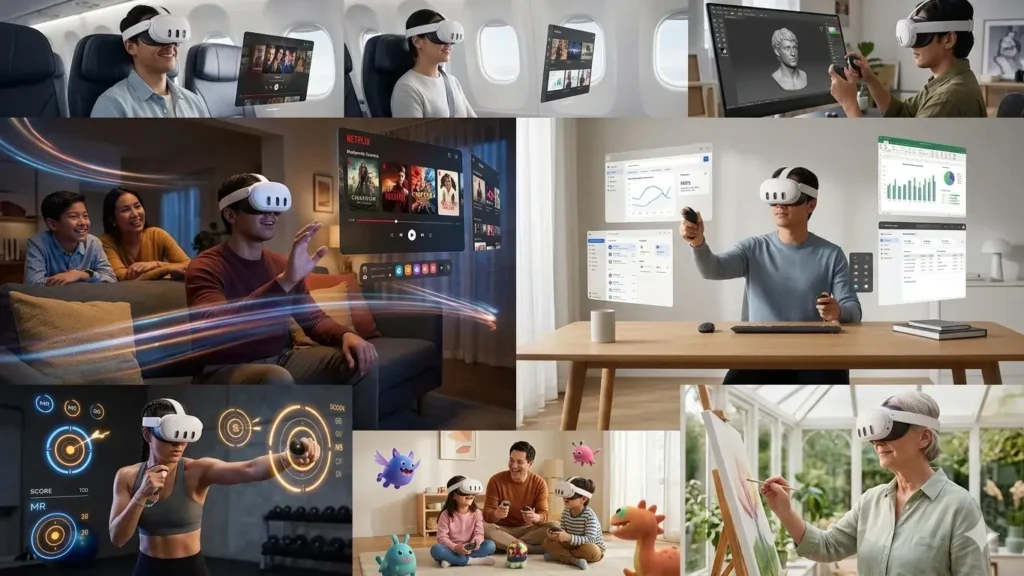
How the Meta Quest 3 512GB Fits Real Life
1. Home Use
- Turn any room into a movie theater with Netflix, Prime Video, and other streaming apps
- Host party games and multiplayer experiences for family nights
- Use MR apps that map your living room for interactive experiences
- Great for small spaces — you can play standing, sitting, or room‑scale
2. Office / Work Use
- Connect to PC using wired or wireless streaming for virtual monitors
- Join VR collaboration apps, whiteboards, or remote workspaces
- Use the large storage to keep productivity apps, media, and games without compromise
- Not as productivity‑optimized as Samsung Galaxy XR or Vision Pro, but good enough for light desk extension
3. Travel
- Download movies and shows to apps that support offline playback
- Play offline VR games on planes, trains, or in hotel rooms
- 512GB helps if you want lots of content on the go without Wi‑Fi
- Battery limits you to sessions of ~2 hours, but you can plug into a power bank
4. Families & Teens
- Meta recommends accounts for 10+; many parents comfortably use it with teens
- Great family device: fitness apps for parents, games for kids, social for teens
- Extended warranty + accident protection is a strong plus in this context
- Parents should still manage screen time and ensure safe play areas
5. Older Adults
- Easy access to relaxation apps, virtual travel, simple games, and fitness
- Wireless and relatively light — easier for non‑gamers to adopt
- Bright, clear visuals make experiences more enjoyable than earlier VR generations
- Consider shorter sessions to avoid fatigue and help with acclimation
6. Fitness Users
- Huge selection of VR fitness apps: rhythm games, boxing, guided workouts
- Full‑color passthrough helps you feel more grounded and safe
- 2‑hour battery is generally plenty for daily workouts
- MR fitness apps can overlay targets into your actual workout space
Pros and Cons of the Meta Quest 3 512GB Bundle
Pros
- Powerful standalone VR with 2x graphics vs previous gen
- Large 512GB storage — ideal for multi‑user households and content hoarders
- Excellent mixed reality for the price with dual RGB color cameras
- Robust ecosystem: biggest standalone VR game library in 2026
- 24‑month Horizon+ provides a steady stream of games and updates
- 24‑month accident protection with no deductibles, no claim limits
- Can play while charging and supports offline games once downloaded
Cons
- Bundle price (~$718.77) isn’t the absolute cheapest route if you don’t value subscription/warranty
- Battery life still ~2 hours — heavy users may want extra power solutions
- Visuals are very good but not at the ultra‑premium level of pricier micro‑OLED headsets
- Some 1‑star reviews complain about not getting specific games they expected (like Beat Saber)
- 3.5/5 average rating (on a small review sample) suggests mixed feelings on bundle value, not hardware quality
Performance Ratings (Out of 5)
| Category | Rating (1–5) |
|---|---|
| Performance | ⭐⭐⭐⭐⭐ 4.7 |
| Build Quality | ⭐⭐⭐⭐ 4.3 |
| Ease of Use | ⭐⭐⭐⭐½ 4.5 |
| Battery Life | ⭐⭐⭐⭐ 4.0 |
| Value for Money | ⭐⭐⭐⭐ 4.2 |
| Ecosystem Compatibility | ⭐⭐⭐⭐⭐ 4.8 |
| Overall Score | ⭐⭐⭐⭐½ 4.4 |
Why this score?
The Meta Quest 3 hardware and ecosystem are excellent for the price, especially as a standalone VR headset. Battery life and bundle pricing hold it back slightly from a perfect score, but as a full package, it’s one of the most balanced options for mainstream buyers in 2026.
Full Comparison: Meta Quest 3 vs Key 2026 Alternatives
Confused between Quest 3 and 3S? Choosing wrong could waste your budget. This side-by-side comparison clearly shows which one is actually worth it. Meta Quest 3 vs Quest 3S comparison
Quick Comparison Table
| Headset | Approx Price* | Performance | Battery | Unique Feature | Ecosystem / Compatibility | Best For | Warranty / Protection |
|---|---|---|---|---|---|---|---|
| Meta Quest 3 512GB Bundle | ~$718.77 (512GB + 24‑month Horizon+ + Warranty) | Strong standalone; 2x Quest 2 | ~2+ hrs | Huge storage + 2 yrs games + accident protection | Meta ecosystem, PC VR streaming | Best overall standalone VR for most people | 24‑month Meta Warranty Plus included |
| Meta Quest 3S (128GB) | ~$300–$350 (varies) | Same chip, cheaper lenses | ~2 hrs | Budget version of Quest 3 with older Fresnel lenses | Same Meta ecosystem | Budget buyers, casual gamers | Standard warranty |
| Pico 4 Ultra | Varies (~$400–$500) | Higher res, 12GB RAM, Wi‑Fi 7 | ~2–3 hrs | Better raw specs; weaker content library | Pico store, some PC VR | Tech enthusiasts, non‑Meta ecosystems | Manufacturer warranty (varies by region) |
| PlayStation VR2 | Headset + PS5 (~$1,000+ total) | Console‑grade visuals, OLED | Tethered | Superior haptic feedback + top‑tier console games | Requires PS5; PlayStation ecosystem | Console gamers focused on immersion | Sony warranty |
Thinking beyond Meta? Pico 4 looks strong on paper — but does it really outperform Quest 3 in real use? This comparison reveals what most reviews miss. Meta Quest 3 vs Pico 4 detailed comparison
*Prices are approximate and change frequently; always verify current pricing.
Buyer‑Type Breakdown
- Best for iPhone users
- If you’re deep in Apple and want productivity + media: Apple Vision Pro 2 (far pricier, not in table).
- For gaming‑focused VR at sane pricing: Meta Quest 3 512GB is still the most sensible.
- Best for Android users
- For gaming + mixed reality at mainstream pricing: Meta Quest 3.
- For premium MR + productivity: Samsung Galaxy XR if you’re willing to spend significantly more.
- Best for athletes & fitness users
- Meta Quest 3 / 3S thanks to strong fitness app catalog and wireless freedom.
- The 512GB model is ideal if multiple people are using fitness apps and game libraries on the same device.
- Best for budget buyers
- Meta Quest 3S (128GB) or a Quest 3 128GB on sale/refurbished.
- Skip the 512GB bundle if you won’t leverage the storage, Horizon+, or warranty.
Who Should Buy the Meta Quest 3 512GB Bundle?
You Should Buy This If…
- You want a future‑proof standalone VR headset that can comfortably last 3–4 years
- You hate storage juggling and want to install lots of games and apps at once
- You like the idea of 24 months of included games via Meta Horizon+
- You value accident protection and no‑deductible warranty for peace of mind
- You’re buying for teens or a family, and want a “set it and forget it” package
- You want a headset that can optionally connect to PC VR without relying on it
Trying to save money with a refurbished unit? Be careful — this guide exposes hidden risks and what most buyers regret later.
Meta Quest 3 refurbished hidden risks.
You Probably Shouldn’t Buy This If…
- You just want the cheapest way to dip your toes into VR (look at Quest 3S or Quest 3 128GB sales)
- You’re a hardcore PC sim gamer who cares more about resolution and FOV than standalone convenience (consider Pimax, Steam Frame, or other PC‑centric headsets)
- You don’t care about subscriptions or extended warranty and only want the raw headset
- You already own a Quest 3 128GB and aren’t constantly hitting storage limits — just add a subscription if you want more games
FAQs – Meta Quest 3 512GB (2026 Buyer Questions)
1. Is it worth getting Meta Quest 3 512GB instead of 128GB?
If you plan to install a lot of large games (20–50GB each), share the headset with family, or keep it for several years, yes, the 512GB model is worth it. If you only play 2–3 core games, the 128GB version is usually enough and more budget‑friendly.
2. Is the Meta Quest 3 512GB 4K?
The Quest 3 uses a 1920 x 1080 per‑eye display, which Meta markets as a “4K Infinite Display” when combining both eyes. It’s not native 4K per eye like some ultra‑premium headsets, but it is noticeably sharper than Quest 2 and very solid for gaming and movies.
3. Is Meta Quest 3 worth it in 2026 or should I wait for Quest 4?
As of 2026, Quest 3 is still the main “sweet spot” headset in Meta’s lineup. Rumors about a “Quest 4” always exist, but nothing is officially confirmed or on shelves yet. If you want to enjoy VR now, Quest 3 gives you several years of strong support and is preferable to waiting indefinitely.
4. Is Quest 3 getting discontinued now that Quest 3S exists?
Meta typically keeps mainstream models around for a while after a cheaper variant launches. The 3S is positioned as a budget option, not a replacement. Quest 3 remains the more premium choice with better optics and higher‑end experience.
5. Does Meta Quest 3 require a PC or internet?
No PC is required for most games — the Quest 3 is a standalone VR headset. You will need internet to download games, updates, and verify some titles, but many games can be played offline once installed. PC connection is optional for PC VR titles.
6. Can I watch Netflix and movies on Meta Quest 3?
Yes. You can watch Netflix, movies, and streaming services in VR using supported apps or browser playback. It creates a virtual giant screen in front of you, which is especially nice paired with the Quest 3’s higher resolution compared to older headsets.
7. Is the Meta Quest 3 ok for 14‑year‑olds?
Meta’s guidance generally targets users 13+. A 14‑year‑old is within that range, but parents should still supervise usage, limit session time, and ensure safe play areas. Always check the latest health and safety recommendations from Meta before use.
8. Why is Quest 3 “so cheap” compared to devices like Apple Vision Pro?
Quest 3 focuses primarily on gaming and consumer entertainment, not professional‑grade productivity or ultra‑high‑end optics. Meta also heavily subsidizes hardware to grow its ecosystem, which keeps prices much lower than premium spatial computers like Apple Vision Pro 2 or Samsung Galaxy XR.
Pricing & Long‑Term Value Analysis
Prices shift frequently — and timing your purchase can save you more than you think. This guide breaks down trends, real pricing, and smart buying windows. Meta Quest 3 price guide 2026
- Current bundle price: Around $718.77 for the 512GB headset + 24 months Horizon+ + 24 months Warranty Plus
- Headset alone: Often around $499 for the 512GB model
- Horizon+ subscription: Around $59.99/year when paid annually (per Amazon listing notes)
- Warranty Plus: Roughly $49.99 (per user review estimates)
How the Bundle Stacks Up
If you manually bought:
- Quest 3 512GB headset: ~$499
- 2 years Horizon+ ($59.99 x 2): ~$120
- 2‑year Warranty Plus: ~$50
You’d land somewhere around $669 (depending on local tax/discounts). The bundle at $718.77 is a bit higher, but you:
- Get everything in one purchase
- Can spread payments over 24 months, sometimes at 0% APR (subject to approval via Affirm)
- Have the certainty of pre‑configured protection + subscription for 2 years
So the bundle isn’t the rock‑bottom cheapest path — it’s more like paying a modest premium for convenience, financing, and “set it and forget it” peace of mind. If you’re comfortable managing subscriptions and warranties yourself, you can probably shave some dollars off by piecing things together.
Longevity Expectation
- Hardware should remain viable for 3–4 years as a mainstream VR platform
- Meta’s ecosystem and developer focus are squarely on Quest 3‑class hardware
- Extended warranty smooths out hardware failure risk during the most intense usage years
If you spread the total cost over 24 months of active use, you’re effectively paying around $30/month for the headset, games, and protection. For many households, that’s a reasonable entertainment budget.
Final Verdict: Should You Buy the Meta Quest 3 512GB Bundle?
If you’re serious about jumping into VR or upgrading from older hardware in 2026, the Meta Quest 3 512GB is still the best all‑around standalone VR headset for most people in the U.S.
The 512GB + 24‑month Horizon+ + Warranty Plus bundle makes the most sense if you:
- Want lots of storage
- Appreciate a steady stream of games
- Value no‑deductible accident protection
- Prefer one simple, long‑term purchase instead of piecing it all together
If you’re purely price‑driven and just want the headset, go for a Quest 3 128GB or a Quest 3S on sale instead, and skip (or self‑manage) the subscription/warranty.
Bottom line:
- For mainstream VR gaming, fitness, and entertainment, the Meta Quest 3 512GB remains a top “no‑regrets” choice in 2026.
- The bundle isn’t a screaming bargain, but it’s a convenient, low‑stress way to cover your VR needs for the next two years.
👉 [Buy Now – See Today’s Deal]
Lock in the current Meta Quest 3 512GB bundle and get two years of games and protection in one shot.
Explore more tech insights on our Home page and read detailed productReviews or side-by-side comparisons in Compare Products. Looking for the best prices? Check our latest Deals, learn about our team on About Us andOur Mission, and review important pages like Affiliate Disclosure, Disclaimer, Privacy Policy, Terms & Conditions, or reach out anytime through Contact Us.