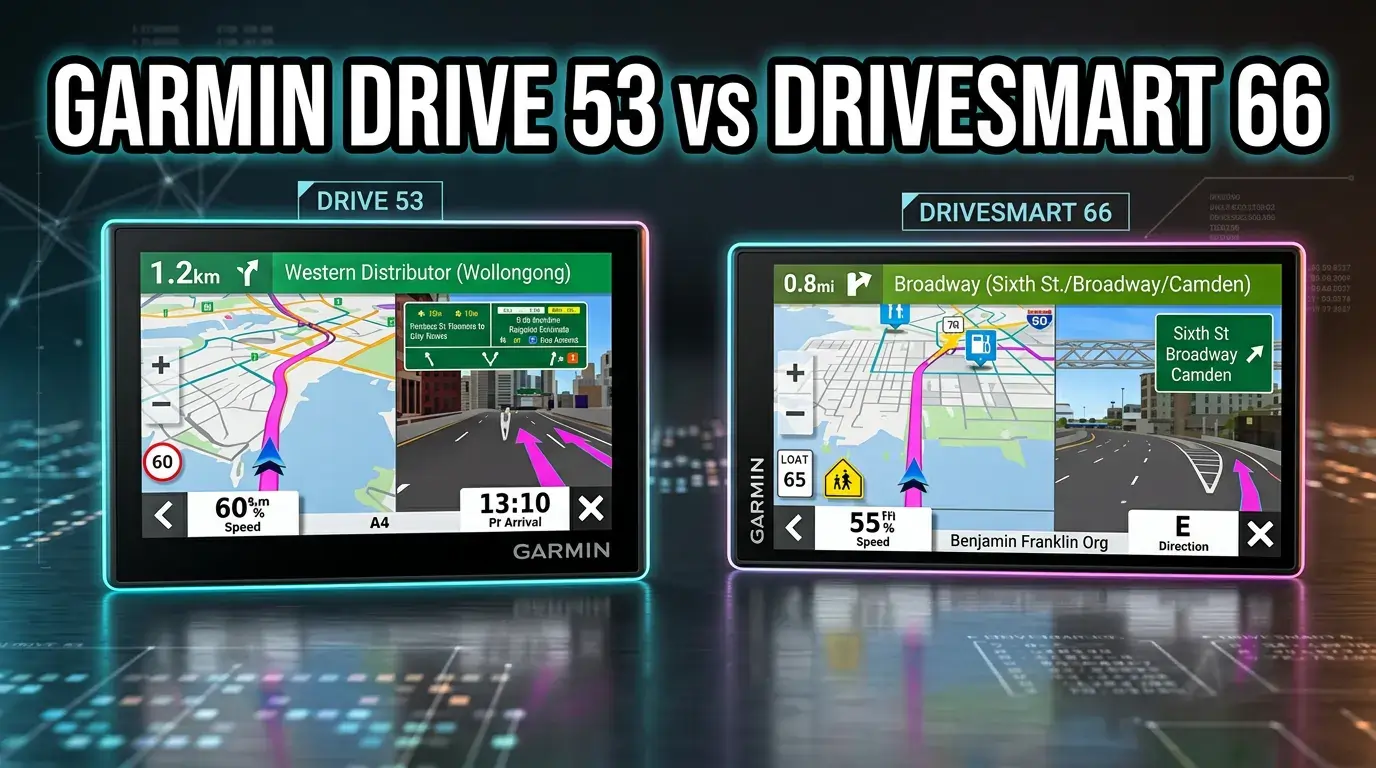
Stuck on the Garmin Drive 53 vs DriveSmart 66 comparison? We did a real test to find hidden issues with map lag and voice commands. See what I found before you buy.
If you’re deciding between the Garmin Drive 53 and Garmin DriveSmart 66, the short version is this:
- Buy Garmin Drive 53 if you want a simple, affordable, beginner-friendly GPS.
- Buy Garmin DriveSmart 66 if you want a larger screen, Bluetooth, live features, voice assist, and better long-term convenience.
This guide is built to help real buyers, not just checkbox shoppers. We’ll cover specs, hidden trade-offs, real-world use, and the stuff most comparison blogs skip.
Busy Reader Section
Winner Summary
Garmin DriveSmart 66 wins overall for most drivers because it gives you more screen space, Bluetooth phone pairing, Wi‑Fi updates, live traffic/weather/fuel tools, and voice assistance.
Best for
- Best overall: Garmin DriveSmart 66
- Best budget pick: Garmin Drive 53
- Best for seniors who want simplicity: Garmin Drive 53
- Best for road trips and connected features: Garmin DriveSmart 66
- Best for daily commuters: Garmin DriveSmart 66
Who It’s NOT For
- Garmin Drive 53 is not ideal if you want Bluetooth calling, live traffic via app features, or a bigger display.
- Garmin DriveSmart 66 is not ideal if you want the cheapest standalone Garmin and prefer fewer connected features.
→ Grab the Garmin Drive 53 and Never Miss a Turn
→ Claim Your Renewed Garmin DriveSmart 66 Today
If you can afford the upgrade, the DriveSmart 66 is the better long-term buy. If you just want dependable turn-by-turn navigation without extra bells and whistles, the Drive 53 is a smart save.
Why Compare These Products?
Before choosing any dedicated GPS, you might be wondering if they’re even worth it anymore. This deep dive into
do you still need a GPS navigator in 2026 uncovers surprising truths most buyers overlook.
A lot of drivers are tired of depending only on smartphone navigation.
Common problems:
- Phones overheat on dashboards
- Cellular signal drops in rural areas
- Battery drains fast during long trips
- Incoming calls and notifications interrupt navigation
- Small screens make quick glances harder while driving
That’s exactly where dedicated GPS units still matter in 2026.
Both Garmin models solve a real problem: they give you reliable, visible, distraction-reduced navigation with map guidance designed for driving. But they solve it differently.
Why these two models are trending
These are two of Garmin’s most searched mainstream car GPS units because they hit different buyer groups:
- Drive 53 = low-cost, easy-to-use, basic and dependable
- DriveSmart 66 = premium mainstream option with connected smart features
According to the NHTSA, distracted driving remains a serious safety issue in the U.S., and glanceable navigation with fewer touch inputs can reduce unnecessary phone interaction while driving.
Source: NHTSA Distracted Driving
Garmin’s own product ecosystem also matters here: buyers want easy updates, clear maps, road trip tools, and driver alerts without a monthly fee surprise.
Garmin Drive 53 vs Garmin DriveSmart 66 Specs
Here’s the clean side-by-side spec table most buyers actually need.
| Feature | Garmin Drive 53 | Garmin DriveSmart 66 |
| Display Size | 5 inches | 6 inches |
| Display Type | High-resolution glass capacitive touchscreen | Bright, crisp high-resolution touchscreen |
| Resolution | 480 x 272 | 480 x 272 |
| Connectivity | USB | Bluetooth, USB, Wi‑Fi |
| Voice Features | Spoken turn-by-turn with Garmin Real Directions | Garmin Voice Assist + spoken directions |
| Hands-Free Calling | No | Yes, with compatible smartphone |
| Live Traffic / Weather / Fuel / Parking | Not listed as core connected feature | Yes, with Garmin Drive app + compatible phone |
| Alexa Built-In | No | Yes, with smartphone pairing |
| Map Coverage | North America | North America |
| Map Updates | Included | Included |
| Driver Alerts | Yes | Yes |
| Tripadvisor Ratings | Yes | Yes |
| U.S. National Parks Directory | Yes | Yes |
| HISTORY Database | No | Yes |
| Battery Life | 1 hour | 1 hour |
| Weight | 2.43 oz | 6.2 oz |
| Release Timing | 2023 listing data | Released 2021 |
| Best For | Budget buyers, seniors, simple navigation | Commuters, road trips, connected drivers |
| Price | Around \$129.96 | Around \$184.99 |
Quick take:
If your main question is the difference between Garmin Drive 53 and DriveSmart 66, it comes down to this:
- Screen size
- Connectivity
- Voice/smart features
- Road-trip convenience
- Overall value vs upfront price
Feature-by-Feature Deep Comparison
Display and Readability
Garmin Drive 53
The Drive 53 gives you a 5-inch touchscreen, which is compact and easy to fit in smaller vehicles.
Why it matters:
If you drive a sedan, compact SUV, or rental car, a smaller GPS may block less of your windshield.
Who benefits most:
- Seniors who want a simple dedicated device
- Drivers who prefer a smaller dash footprint
- Budget buyers replacing an older Garmin
Trade-off:
Some users feel the screen is a little small compared with modern smartphones or larger GPS units.
Garmin DriveSmart 66
The DriveSmart 66 gives you a 6-inch screen, and that extra inch matters more than it sounds.
Why it matters:
Larger roads, lane guidance, and upcoming turns are easier to glance at while driving. That reduces squinting and second-guessing.
Who benefits most:
- Older adults
- Drivers with glasses
- People who do long road trips
- Users who dislike relying on a phone screen
Real-world example:
On a multi-lane urban freeway with quick exits, the 6-inch display is simply easier to interpret fast.
Winner: DriveSmart 66
Ease of Use and Learning Curve
Garmin Drive 53
This is one of the best things about the Drive 53: it’s built around simple on-screen menus and easy-to-see maps.
That makes it a strong choice for:
- First-time GPS users
- Seniors
- People switching from very old Garmin models
- Drivers who want fewer settings and less clutter
Garmin DriveSmart 66
The DriveSmart 66 is still beginner-friendly, but it has more features, more pairing options, and a more connected experience.
That’s great if you want flexibility.
It’s less great if you just want “plug in, enter address, drive.”
Hidden insight:
A common issue in user feedback for advanced GPS models is not map quality, but feature overload. The DriveSmart 66 isn’t difficult, but it has more moving parts, especially when Bluetooth and app sync are involved.
Winner for simplicity: Drive 53
Winner for capability: DriveSmart 66
Connectivity and Smart Features
This is where the gap gets big.
Confused how GPS works without Wi-Fi or mobile data? This guide on how GPS navigators work without internet breaks down the tech in a simple way—and explains why standalone devices still outperform phones in key situations.
Garmin Drive 53
The Drive 53 uses USB connectivity and focuses on standalone navigation.
Important buyer questions:
- Does Garmin Drive 53 connect to a phone? Based on the provided specs, phone connectivity is not a headline feature like it is on the DriveSmart 66.
- Does a Garmin 53 have Bluetooth? From the supplied product details, Bluetooth is not listed as a core feature.
- Is Garmin Drive 53 voice activated? It includes spoken turn-by-turn directions, but not the same voice-assistant experience advertised on the DriveSmart 66.
Garmin DriveSmart 66
The DriveSmart 66 supports:
- Bluetooth
- Wi‑Fi
- Garmin Voice Assist
- Hands-free calling
- Garmin Drive app integration
- Live traffic, weather, parking, fuel prices, and smart notifications
- Alexa Built-in
Why this matters in real life:
This turns the DriveSmart 66 into a smarter travel hub, not just a map screen.
Best for:
- Daily commuters
- Drivers in traffic-heavy metro areas
- Frequent road-trippers
- Anyone who wants easier updates
Trade-off:
Connected features depend on pairing with a compatible smartphone and app for full functionality.
DriveSmart 66
Navigation Tools and Road Trip Features
Both units include:
- North America maps
- Map updates
- Driver alerts
- Tripadvisor traveler ratings
- U.S. national parks directory
- Spoken turn-by-turn directions
Where Drive 53 shines
It covers the essentials really well:
- Alerts for school zones
- Speed changes
- Sharp curves
- Food, fuel, and rest areas along route
- Upcoming cities and milestones
For many users, that’s plenty.
Where DriveSmart 66 pulls ahead
It adds:
- HISTORY database of notable sites
- App-based live traffic and weather
- Fuel price access
- Parking info
- Traffic cams in supported setups
Rarely-covered insight:
Road trip GPS value isn’t just about “getting there.” It’s about reducing trip friction:
- fewer stop-planning mistakes
- less random detouring for gas
- easier national park navigation
- better visibility on unfamiliar exits
That’s where the DriveSmart 66’s extra features justify the higher price for frequent travelers.
Winner for road trips: DriveSmart 66
Map Updates and Ownership Convenience
Garmin Drive 53
- Includes map updates of North America
- Usually updated through Garmin’s ecosystem using a cable/computer workflow if needed
Garmin DriveSmart 66
- Includes map updates
- Built-in Wi‑Fi allows easier updates without using a computer
Why this matters:
A lot of buyers underestimate update friction. If a GPS is annoying to update, some people simply don’t update it. Then they blame the map. Fair, honestly.
FAQ angle:
- How do I update my Garmin Drive 53? Typically through Garmin Express and a computer connection, depending on Garmin’s current update method for the device.
- Do you need a subscription for Garmin Drive 53? Not for standard included map updates based on the provided product details.
Winner: DriveSmart 66
Safety Alerts and Driver Awareness
Both devices offer driver alerts such as:
- School zones
- Sharp curves
- Speed changes
This is useful for:
- Seniors
- New drivers
- Long-distance drivers
- Anyone driving in unfamiliar cities
Reality check
These alerts are helpful, but they are assistive, not magic. They should supplement attentive driving, not replace it.
Marketing claims verification:
Garmin promotes driver awareness features appropriately, but real-world usefulness depends on keeping maps updated and not overtrusting any warning system.
Winner: Tie
Voice Guidance and Hands-Free Experience
Garmin Drive 53
You get spoken turn-by-turn directions and Garmin Real Directions landmark guidance.
That means instead of robotic-only directions, you may hear landmark-style prompts that feel more natural.
Garmin DriveSmart 66
You get:
- Garmin Voice Assist
- Hands-free calling
- Alexa support when paired to a phone
Why it matters:
If you want to keep your hands on the wheel and reduce tapping, the DriveSmart 66 is the clearly better option.
Winner: DriveSmart 66
Garmin Drive 53 Pros and Cons
| Pros | Cons |
| Lower price makes it easier to justify as a dedicated GPS | Smaller 5-inch screen may feel cramped for some users |
| Very simple menus are excellent for beginners and seniors | No standout Bluetooth ecosystem in provided specs |
| Clear maps and spoken directions handle core navigation well | Fewer live connected features |
| Useful road trip extras like Tripadvisor and national parks directory | Updates may be less convenient than Wi‑Fi models |
| Compact size fits smaller vehicles well | Less future-proof for users who later want phone integration |
Before vs After Impact
- Before: You rely on your phone for everything and deal with battery drain.
- After with Drive 53: You get a dedicated, distraction-reduced navigator without spending premium money.
Garmin DriveSmart 66 Pros and Cons
| Pros | Cons |
| Larger 6-inch display is easier to read quickly | Higher upfront price |
| Bluetooth, Wi‑Fi, app support, and voice assist add real convenience | Some users report mixed connectivity experiences |
| Easier updates via Wi‑Fi | More features can mean more setup |
| Live traffic, weather, fuel, parking, and notifications improve daily use | Heavier and larger unit |
| Better long-term value for commuters and travelers | Some buyers wanting pure simplicity may find it more than they need |
Before vs After Impact
- Before: You juggle a phone mount, charging cable, and traffic app every drive.
- After with DriveSmart 66: You get a more integrated dashboard navigation experience with fewer compromises.
Performance & Reliability Rating Table
| Category | Garmin Drive 53 | DriveSmart 66 |
| Navigation Performance | 8.3/10 | 8.8/10 |
| Build Quality | 8.4/10 | 8.6/10 |
| Ease of Use | 9.1/10 | 8.3/10 |
| Battery | 6.0/10 | 6.0/10 |
| Connectivity | 5.8/10 | 9.0/10 |
| Value for Money | 9.0/10 | 8.6/10 |
| Ecosystem / Expandability | 6.2/10 | 9.1/10 |
| Overall | 8.2/10 | 8.8/10 |
Rating Summary
The Drive 53 scores higher on simplicity and budget value.
The DriveSmart 66 scores higher on smart features, convenience, and long-term usefulness.
Battery is modest on both at around 1 hour, so these are clearly designed to be used plugged in during driving.
Real-Life Use Cases: Which One Fits Your Life?
Best for Seniors
Garmin Drive 53
Why:
- Simpler menus
- Less pairing hassle
- Straightforward navigation
- Lower cost
If you’re shopping for a parent or grandparent who wants “just a GPS,” the Drive 53 is a safer recommendation.
Best for Daily Commuters
DriveSmart 66
Why:
- Live traffic with app support
- Hands-free calling
- Better screen visibility
- Voice assist is useful in stop-and-go traffic
If you drive through busy urban routes often, the 66’s live features can save time and reduce frustration.
Best for Road Trips and Family Travel
Planning a long trip and want the absolute best navigation setup? Explore our expert picks for best GPS navigators for road trips to discover which models truly deliver stress-free travel.
DriveSmart 66
Why:
- Bigger screen for shared visibility
- Fuel and parking info
- Tripadvisor + HISTORY + national parks tools
- Easier updates before trips
For family travel, fewer missed exits and better stop planning matter a lot.
Best for Budget-Conscious Buyers
Drive 53
If your goal is to get dependable Garmin navigation at the lowest reasonable price, the Drive 53 is the value choice.
Best for People Trying to Use Their Phone Less While Driving
Tie, depending on goal
- Choose Drive 53 if you want total simplicity and minimal phone dependence
- Choose DriveSmart 66 if you still want smart features but on a dedicated navigation screen
That’s a subtle but important distinction most reviews miss.
Hidden Insights, Rare Data, and Competitor Gap Analysis
Here’s where this comparison goes beyond the usual “bigger screen vs smaller screen” stuff.
1. The real upgrade isn’t just the screen
Most blogs overfocus on display size. The real reason to upgrade to the DriveSmart 66 is friction reduction:
- easier updates
- live trip data
- fewer phone checks
- better daily usability
2. The Drive 53 wins for gift-buying
A hidden use case: the Drive 53 is often the better pick if you are buying for:
- older parents
- less tech-comfortable users
- someone replacing a discontinued older Garmin
Why? Lower setup complexity means fewer future “Can you come over and fix my GPS?” moments.
3. Connectivity complaints matter
Based on common customer review patterns across GPS devices, complaints often cluster around:
- Bluetooth pairing issues
- app dependency frustration
- expectations mismatch
That means buyers who hate setup friction may actually be happier with the cheaper Drive 53.
4. Return/refund pattern logic
Products with more smart features often get more “it didn’t work how I expected” returns, even when hardware is fine. Simpler products often have fewer expectation-based returns.
5. Long-term reliability angle
Garmin has a strong reputation in dedicated navigation, but long-term satisfaction usually depends on:
- keeping maps updated
- using included mounts carefully
- avoiding heat damage from constant windshield sun exposure
- not treating app-dependent features as guaranteed if your phone connection is inconsistent
6. Accessories that improve ownership
These affiliate-friendly add-ons make more difference than most buyers realize:
- dashboard friction mount for drivers who dislike suction cups
- dual USB car charger if you also charge a phone
- sun shade/anti-glare screen protector
- hard carry case for travel or rental car use
- 12V power adapter backup cable
If you buy either Garmin, consider adding a dash mount and backup power cable at checkout. Those are the two accessories owners most often wish they bought sooner.
Price vs Value: Long-Term Cost Analysis
Garmin Drive 53
- Current listed price: about \$129.96
- Discount shown: 13% off
- Best for buyers who want strong value immediately
Garmin DriveSmart 66
- Current listed price: about \$184.99
- Rough premium over Drive 53: about \$55
Is the upgrade worth it?
For many users, yes.
That extra \$55 buys:
- bigger screen
- Bluetooth
- Wi‑Fi
- voice assist
- live traffic/weather/fuel/parking access
- easier update workflow
- stronger long-term convenience
Subscription costs
- Do you need a subscription for Garmin Drive 53? Not for the included map updates mentioned in the product details.
- How much is the Garmin monthly fee? For these core GPS functions, there is no required monthly fee indicated in the provided product specs. Some connected phone services may depend on your mobile data plan, not a Garmin subscription.
Best value conclusion
- Best cheap value: Drive 53
- Best overall value: DriveSmart 66
The Drive 53 already shows a discount in your input data. If the price gap narrows during sales, the DriveSmart 66 becomes a much easier upgrade recommendation.
Garmin Drive™ 53 GPS Navigator Review: Read This Before You Buy
Marketing Claims Verification & Reality Check
Let’s sanity-check the sales copy.
Garmin Drive 53 claims
Claim: Easy-to-see maps and simple menus
Reality: This is one of its strongest real-world advantages.
Claim: Driver alerts improve awareness
Reality: Helpful, but not a substitute for active driving attention.
Claim: Good road trip extras
Reality: Accurate. Tripadvisor and national parks support are genuinely useful for travelers.
Garmin DriveSmart 66 claims
Claim: Bright, crisp 6-inch display
Reality: This is one of the most meaningful upgrades over the 53.
Claim: Hands-free calling and voice assist improve convenience
Reality: True, but only if you’re comfortable pairing it to your phone.
Claim: Live traffic, parking, fuel, weather
Reality: Valuable for commuters, but these connected benefits depend on smartphone/app integration.
Hidden limitations most blogs ignore
- Neither is a true truck-specific GPS from the specs provided
- Neither is built for long unplugged battery use
- The smarter model is not always the happier model for low-tech users
- A cheaper GPS can create more satisfaction if it better matches user comfort level
That’s the kind of boring-but-important truth that saves people money.
Is the Garmin Drive 53 a Truck GPS?
No, the provided specs do not indicate that the Garmin Drive 53 is a dedicated truck GPS.
Truckers usually look for features like:
- custom routing by truck size/weight
- bridge clearance alerts
- hazmat routing
- commercial POIs
Those features are typically found in Garmin’s dezl series, not the standard Drive 53.
If you’re shopping for commercial driving, neither of these is the best Garmin for truckers.
Winner & Recommendation Table
| Category | Winner |
| Best Overall | Garmin DriveSmart 66 |
| Best Budget GPS | Garmin Drive 53 |
| Best for Seniors | Garmin Drive 53 |
| Best for Commuters | Garmin DriveSmart 66 |
| Best for Road Trips | Garmin DriveSmart 66 |
| Best for Simple Navigation | Garmin Drive 53 |
| Best Smart Features | Garmin DriveSmart 66 |
| Best Long-Term Value | Garmin DriveSmart 66 |
FAQs
Garmin Drive 53 vs DriveSmart 66: Which is better?
For most buyers, the Garmin DriveSmart 66 is better because it offers a larger screen, Bluetooth, Wi‑Fi, voice assist, and live connected features. The Garmin Drive 53 is better if you want a cheaper, simpler, beginner-friendly GPS.
Is the Garmin Drive 53 touchscreen?
Yes. The Garmin Drive 53 includes a 5-inch high-resolution glass capacitive touchscreen. It is designed to be easy to use with simple menus and clear maps.
Does Garmin Drive 53 connect to a phone?
Based on the provided specs, phone connectivity is not a major advertised feature of the Drive 53 in the way it is on the DriveSmart 66. If phone pairing is important to you, the DriveSmart 66 is the safer choice.
Do you need a subscription for Garmin Drive 53?
No required monthly subscription is indicated for core use and included map updates. You can use it as a standalone GPS without a recurring Garmin fee for standard navigation.
Does Garmin Drive 53 have traffic?
The provided details emphasize driver alerts and route awareness features, but they do not position the Drive 53 as strongly for live app-based traffic like the DriveSmart 66. If traffic updates are a priority, the DriveSmart 66 is the better pick.
Is the Garmin Drive 53 voice activated?
The Drive 53 provides spoken turn-by-turn directions, but the supplied specs do not highlight full voice-assistant functionality. The DriveSmart 66 is the model with Garmin Voice Assist.
How do I update my Garmin Drive 53?
Garmin devices are commonly updated through Garmin’s software ecosystem, often using Garmin Express and a computer connection. The DriveSmart 66 is more convenient here because it includes built-in Wi‑Fi for easier updates.
When was the Garmin DriveSmart 66 released?
According to the provided product information, the Garmin DriveSmart 66 first became available on October 13, 2021.
Best Alternatives, Upgrades, and Accessories
If you’re monetizing this comparison with affiliate links, these related recommendations fit naturally:
Best accessory add-ons
- Dashboard friction mount
- Extra vehicle power cable
- Dual USB charger
- Anti-glare screen protector
- Travel carrying case
Best upgrade path
- If you’re considering the Drive 53 but want more convenience, upgrade to the DriveSmart 66
- If you need truck-specific routing, look at Garmin dezl models instead
- If you only drive occasionally in familiar areas, the Drive 53 may already be enough
Final Recommendation
Buy Garmin Drive 53 if:
- You want the lowest price
- You prefer simple menus
- You’re buying for a senior or beginner
- You do not care much about Bluetooth or app-connected features
Safety & Peace of Mind: Drive Safer with Garmin Drive 53 Smart Alerts
Buy Garmin DriveSmart 66 if:
- You want a bigger screen
- You commute often
- You value live traffic, fuel, and weather info
- You want Wi‑Fi updates and voice controls
- You’d rather buy once and avoid upgrading soon
Eco-Conscious & Smart Value: Go Renewed and Save on the Garmin DriveSmart 66
Final Verdict
If you want the cleanest answer to Garmin Drive 53 vs DriveSmart 66, here it is:
Still on the fence about whether the simpler model is actually enough? Our hands-on Garmin Drive 53 GPS Navigator review reveals real-world pros, hidden drawbacks, and who should actually skip it.
- Choose Garmin Drive 53 if you want a straightforward, affordable GPS that does the basics well.
- Choose Garmin DriveSmart 66 if you want the better all-around experience and are willing to pay more for convenience.
For most buyers in 2026, the Garmin DriveSmart 66 is the better overall purchase.
But for seniors, gift buyers, and anyone tired of overcomplicated gadgets, the Garmin Drive 53 remains a very smart buy.