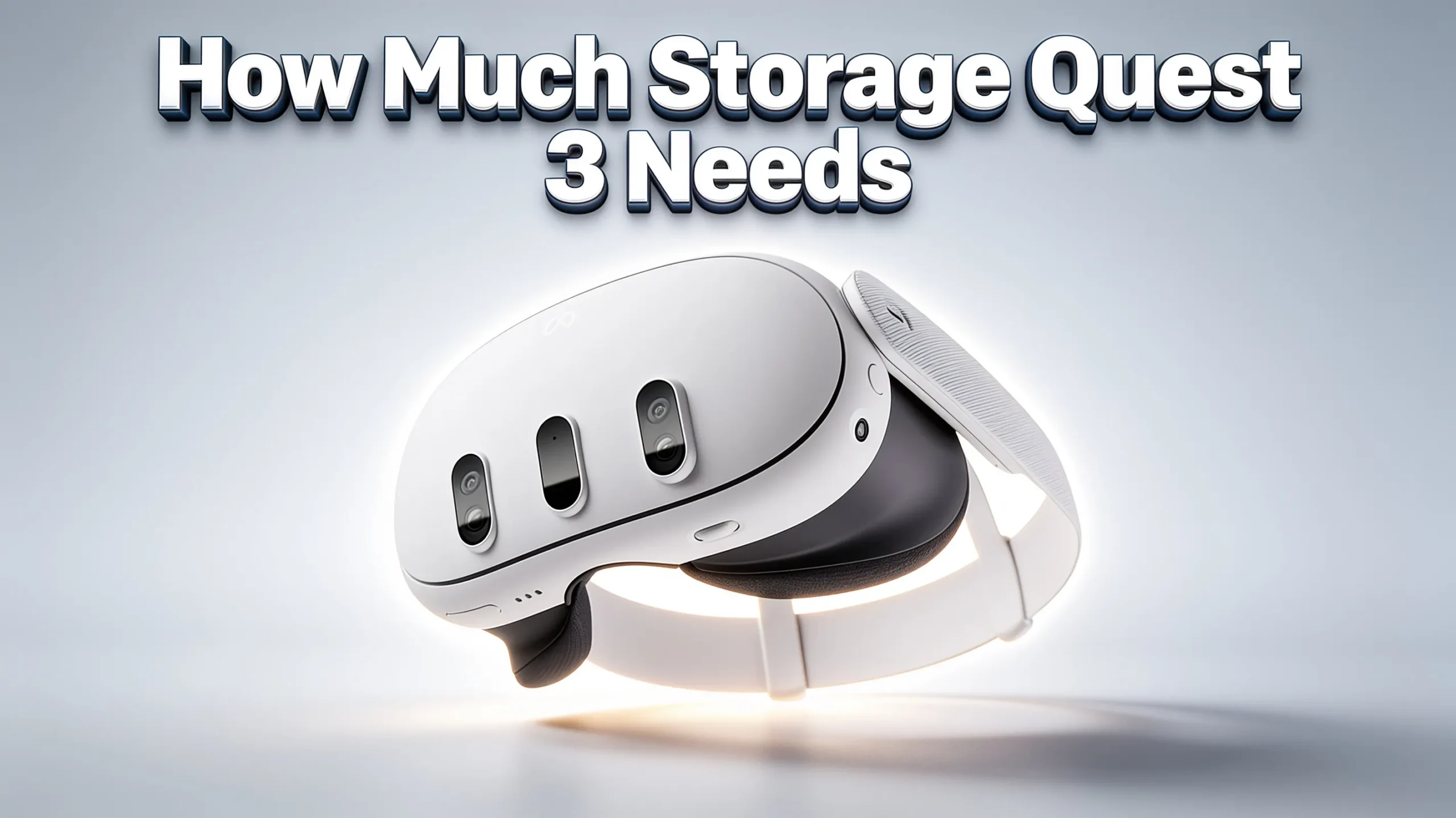
Bottom Line Up Front: If you’re buying a Meta Quest 3 (the flagship model), there’s only one storage option: 512GB. If you’re looking at the budget-friendly Meta Quest 3S, you’ll choose between 128GB and 256GB. The right pick depends almost entirely on how many games you keep installed at once — and whether you also use the headset for PCVR.
Who This Guide Is For (and Who It Isn’t)
This is for you if:
- You’re about to buy a Quest 3 or Quest 3S and can’t decide which storage tier makes sense.
- You already own a 128GB headset and want to know if you should upgrade or work around the limit.
- You use your headset for standalone VR gaming, mixed reality, or media playback.
This is probably not for you if:
- You already know you’ll only use the headset for PCVR (in which case, storage barely matters — any model works).
- You play one or two fitness/rhythm games and delete everything else when you’re done.
The Current Quest Storage Landscape (Updated June 2026)
Before anything else, let’s clear up a common point of confusion. Meta’s lineup has shifted since the Quest 3 first launched.
| Model | Storage Options | Current Status | Approximate Price |
|---|---|---|---|
| Meta Quest 3 | 512GB only | Current flagship | ~$599.99 |
| Meta Quest 3S | 128GB / 256GB | Current budget model | ~$349.99 / ~$449.99 |
| Quest 3 (128GB) | 128GB | Discontinued late 2024 | Refurbished only |
The 128GB Quest 3 was phased out in late 2024 when Meta dropped the 512GB model’s price to $499. If you see a 128GB “Quest 3” listed for sale in mid-2026, it’s either refurbished, used, or old stock. The 128GB and 256GB tiers now belong to the Quest 3S — a separate model with Fresnel lenses (instead of the Quest 3’s pancake lenses), a slightly narrower field of view, and no hardware depth sensor.
This distinction matters for your storage math. If you read older reviews or forum posts comparing “128GB vs 512GB Quest 3,” they’re describing a buying decision that no longer exists in the same form.
What You Actually Get: Usable vs. Advertised Storage
The number printed on the box is not what you’ll see as free space. The Quest operating system, pre-installed apps, and system reserves consume roughly 18–26GB before you install a single game.
| Advertised Storage | Approximate Usable Space | Model |
|---|---|---|
| 128GB | ~102–110GB | Quest 3S |
| 256GB | ~230–238GB | Quest 3S |
| 512GB | ~486–494GB | Quest 3 |
These figures come from Meta’s official documentation and are consistent with what users report after initial setup on current firmware. The usable space won’t change much over time — but the games you install will get larger with updates.
Real Game Sizes: What Actually Fits
The single biggest mistake in storage guides is inflating or guessing game sizes. Here are actual install sizes for popular Quest titles, based on Meta Store listings, QuestStoreDB data, and verified user reports as of mid-2026.
Large Titles (15GB+)
| Game | Approximate Install Size |
|---|---|
| Medal of Honor: Above and Beyond | ~41–44GB |
| Asgard’s Wrath 2 | ~31–33GB |
| Metro Awakening | ~19GB |
| Batman: Arkham Shadow | ~19GB |
| Assassin’s Creed Nexus | ~16–17GB |
| Arizona Sunshine 2 | ~12GB |
Mid-Range Titles (5–15GB)
| Game | Approximate Install Size |
|---|---|
| Resident Evil 4 | ~8–9GB |
| The Walking Dead: Saints & Sinners | ~7–8GB |
| Red Matter 2 | ~8.5GB |
| Blade & Sorcery: Nomad | ~5–6GB |
| Iron Man VR | ~9GB |
Smaller / Lifestyle Titles (Under 5GB)
| Game | Approximate Install Size |
|---|---|
| Beat Saber (base) | ~1.5–4GB |
| Superhot VR | ~0.6–2GB |
| Pistol Whip | ~1GB |
| Synth Riders | ~3GB |
| Walkabout Mini Golf | ~1.5GB |
| Eleven Table Tennis | ~1GB |
Important caveat: These numbers reflect base installs. Updates, DLC, and cached data can add 10–30% over time. Beat Saber with a large custom song library, for example, can balloon well past 10GB. A game listed at 17GB may need closer to 25GB of free space during installation due to temporary unpacking overhead.
The User Profile Matrix: Which Storage Matches Your Habits?
Instead of thinking in gigabytes, think in terms of how you actually use the headset. Here’s the decision framework.
Profile 1: The Casual Player (2–4 Games at a Time)
You play: Beat Saber, Walkabout Mini Golf, Superhot, maybe one bigger title.
You delete games when you finish them.
You don’t store movies on the headset.
→ Best Pick: Quest 3S 128GB
With ~102–110GB usable, you can comfortably keep 3–4 mid-to-large games plus a handful of smaller titles installed. You’ll need to occasionally delete and reinstall — but cloud saves preserve your progress.
The trade-off: When a 40GB+ title like Medal of Honor catches your eye, you’ll probably need to clear space first. If that sounds annoying, step up to 256GB.
Profile 2: The Balanced Gamer (5–10 Games, Some Media)
You play: A mix of AAA and smaller titles, keep a regular rotation, maybe record short clips.
You occasionally watch 4K content but mostly stream it.
You don’t want to think about storage week to week.
→ Best Pick: Quest 3S 256GB
Roughly 230GB of usable space covers 10–15 mid-to-large games or 5–7 large titles plus a healthy indie library. This is the “set it and forget it” tier for most people. The price gap between 128GB and 256GB is typically $100 or less — and that buys you double the breathing room.
The trade-off: You’re still on the Quest 3S platform, which uses Fresnel lenses and has a narrower field of view than the full Quest 3. If display quality and lens clarity matter as much as storage, read on.
Profile 3: The Power User / Collector / Family Headset
You play: 15+ games, keep everything installed, share the headset with family members.
You record mixed-reality footage.
You want zero storage management, ever.
→ Best Pick: Quest 3 512GB
With ~486–494GB usable, you can install 25+ large titles and still have room. This is the only current Quest 3 model — and it also gets you pancake lenses, a wider field of view, and a hardware depth sensor for better mixed reality. If you’re upgrading from a Quest 2 or Quest 3S, the visual jump is significant.
The trade-off: It’s $599.99 — roughly $100–200 more than the Quest 3S 256GB. That extra cost buys you both the storage headroom and the superior display. Whether it’s worth it depends on how much you value the visual upgrade.
Profile 4: The PCVR Enthusiast
You play: SteamVR games through Link Cable or Air Link / Virtual Desktop.
The headset is essentially a display for your gaming PC.
→ Best Pick: Any model — storage barely matters.
PCVR games run on your computer, not the headset. The Quest only stores a small client app (typically under 500MB). Half-Life: Alyx takes 67GB — on your PC’s SSD, not your Quest. You can buy the cheapest Quest 3S 128GB and still access a library limited only by your PC’s storage.
The trade-off: You need a decent gaming PC and either a wired USB-C Link Cable or a strong Wi-Fi 6E router for wireless play. If you ever want to play standalone when traveling, you’re back to managing 128GB.
When Storage Doesn’t Matter: The PCVR Bypass
If you own a gaming PC, the Quest’s internal storage becomes almost irrelevant for the games that demand the most space. Here’s how it works:
- Install games on your PC (which likely has 1TB+ of SSD space).
- Connect the Quest via USB-C Link Cable or wireless Air Link / Virtual Desktop.
- The headset streams the game — it doesn’t store it.
A Link Cable is a one-time purchase (typically $20–80 depending on length and quality) that effectively gives you “unlimited” storage for PCVR titles. The cable also charges the headset while you play, which addresses the Quest’s ~2-hour battery life during longer sessions.
Notable limitation: PCVR only works with PC-compatible titles. Standalone Quest exclusives — including Batman: Arkham Shadow, Asgard’s Wrath 2, and Assassin’s Creed Nexus — must be installed on the headset regardless.
External Storage and Workarounds: What’s Actually Possible
A common question: “Can I add a USB-C drive or SD card to expand Quest storage?”
The short answer: No, not for games.
The Quest does not support installing or running games from external storage. A USB-C drive connected to the headset can store and play media files (movies, videos) through apps like Skybox VR or Pigasus, but it won’t expand your game library.
What you can do with external storage:
- Store 4K/8K video files on a USB-C flash drive and play them through a media player app. A single hour of 4K 180° video can be 40–50GB; 8K 180° runs 80–100GB per hour. Keeping these on a $20 USB-C drive frees up your internal storage entirely for games.
- Stream from a NAS or Plex server over Wi-Fi. The media player app uses negligible local storage (~100MB), and your media library stays on your home server.
What does not work:
- Installing Quest games to external storage.
- Expanding internal storage after purchase (the memory is soldered, not upgradeable).
Avoiding the Most Common Storage Mistakes
Based on the questions that surface repeatedly in Quest forums and user communities, here are the pitfalls that trip up new buyers — and how to sidestep them.
1. Buying the Smallest Storage Because “I’ll Manage It”
The logic is tempting: save $100 now, delete games as needed. In practice, many users find that uninstalling and reinstalling a 30GB+ title over home Wi-Fi gets old fast. Redownloading Asgard’s Wrath 2 at 33GB can take 30–60 minutes depending on your connection. If you’re the type to keep a library installed, the larger storage pays for itself in convenience.
2. Forgetting the OS Overhead
Every headset loses 18–26GB to system software before you touch it. If you budget your game library against “128GB” instead of “~103GB,” you’ll run out of space faster than expected.
3. Storing Movies on Internal Storage
One 4K 180° movie can eat 40–50GB — the equivalent of 2–3 large games. A $15–25 USB-C drive solves this permanently. Use internal storage for games, external storage for media.
4. Not Enabling Cloud Saves Before Deleting Games
Meta offers cloud backup for game saves. Before you delete a game to free up space, confirm that cloud sync is enabled (Settings → Account → Cloud Saves). Otherwise, you may lose progress.
5. Assuming “Delete and Reinstall” Is Always Fast
Download speeds vary. A 40GB game on a 100Mbps connection takes roughly 55 minutes. On slower connections, it can take hours. If you live somewhere with data caps or slow internet, larger internal storage is worth more than the price difference suggests.
Quick Comparison: All Models at a Glance
| Criteria | Quest 3S 128GB | Quest 3S 256GB | Quest 3 512GB |
|---|---|---|---|
| Usable Space | ~102–110GB | ~230–238GB | ~486–494GB |
| Large Games (30GB+) | 2–3 | 5–7 | 12–15 |
| Mid-Size Games (5–15GB) | 8–15 | 20–30 | 40+ |
| Best For | Casual players, PCVR users | Most standalone gamers | Collectors, families, power users |
| Display | Fresnel lenses | Fresnel lenses | Pancake lenses (sharper, wider FOV) |
| Approx. Price | ~$349.99 | ~$449.99 | ~$599.99 |
Frequently Asked Questions
Is 128GB enough for a Quest 3S in 2026?
It depends entirely on your habits. If you play 2–4 games at a time and delete titles when you finish them, 128GB is functional — especially if you use cloud saves. If you like keeping 5+ games installed, or if you play large titles like Medal of Honor (44GB) and Asgard’s Wrath 2 (33GB), 128GB fills up quickly. The 256GB model removes the constant-deletion cycle that many 128GB owners report as their biggest frustration.
Can I upgrade Quest storage after purchase?
No. The internal storage is soldered and cannot be expanded. Your only options are to use PCVR for PC-based games, store media externally via USB-C, or buy a larger model from the start.
How many games can a 256GB Quest 3S hold?
Roughly 5–7 large titles (30GB+) plus a substantial library of smaller games. Alternatively, around 20–30 mid-size and indie titles. For most standalone gamers, 256GB is the practical sweet spot.
What’s the difference between Quest 3 and Quest 3S storage?
The Quest 3 (flagship) is available only in 512GB. The Quest 3S (budget) comes in 128GB and 256GB. The storage options are tied to the model — you can’t get a 512GB Quest 3S or a 128GB Quest 3 (new) in 2026.
Does the 128GB Quest 3 still exist?
The 128GB Quest 3 was discontinued in late 2024. You may find refurbished or used units, but new retail stock is gone. The current 128GB option is the Quest 3S.
How much storage do 4K and 8K videos need?
4K 180° video: approximately 40–50GB per hour. 8K 180°: approximately 80–100GB per hour. The practical solution is to store these on a USB-C external drive and play them through Skybox VR or a similar app — not on internal storage.
If I only use PCVR, does storage matter?
Barely. PCVR games run on your computer. The Quest needs only a small client app (under 500MB). Any Quest model works for PCVR — the cheapest Quest 3S 128GB is sufficient.
The Bottom Line
Storage on the Quest isn’t about the biggest number — it’s about matching your actual usage pattern to the right model.
- If you play a few games, finish them, and move on: Quest 3S 128GB is fine. Save the money.
- If you want a library of 10+ games without thinking about space: Quest 3S 256GB is the best value in the lineup.
- If you want the best display, the most storage, and zero management: Quest 3 512GB is the only choice — and it’s a good one.
- If you game primarily on a PC: Any model works. Get the cheapest one and put the savings toward games.
The wrong storage choice doesn’t ruin the experience — but it does add friction. The right choice means you spend your time in VR, not in the storage management screen.
If you’re ready to buy, check current pricing and availability for the model that matches your profile:
Disclosure: Some links in this guide are affiliate links. If you purchase through them, we may earn a commission at no additional cost to you. Our recommendations are based on the specifications and use cases described above, not on affiliate incentives.